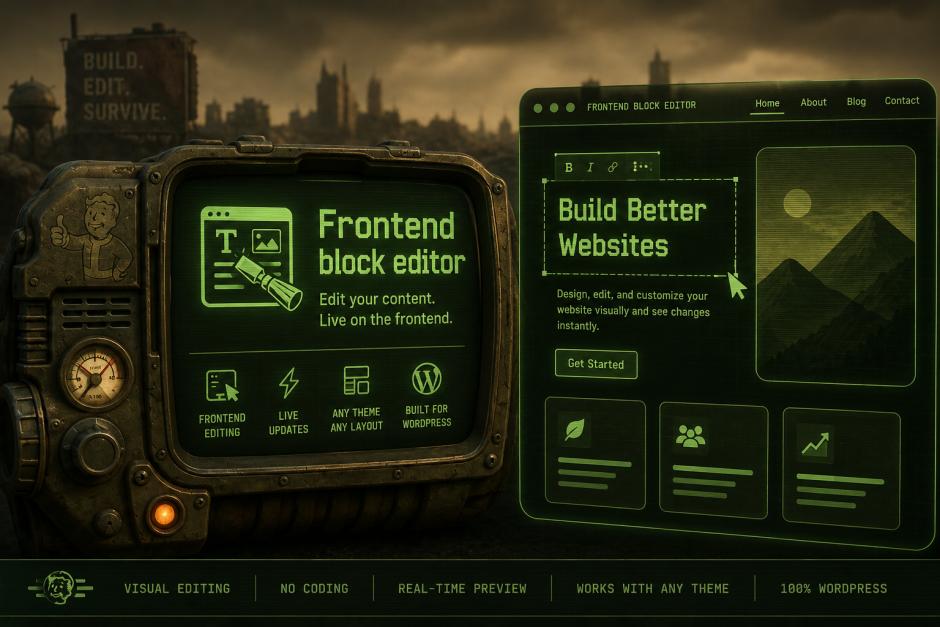
TL;DR: Frontend Block Editor is a tiny WordPress plugin that drops the block editor onto the frontend so you can click any block on the live page and edit it in place. v0.1.4 is up on GitHub and submitted to the .org directory; you can try it in your browser via WordPress Playground.
A small experiment from Radical Speed Month
During Radical Speed Month I gave myself a constraint: pick something I’d been quietly curious about, ship a working version, and resist the urge to plan it to death. The thing I picked was a question I keep coming back to as a frontend dev who lives in WordPress: what would it feel like if “fix this typo on the homepage” wasn’t a context switch?
There’s already a lot of good work in this space (full site editing, the block editor itself), so this isn’t a complaint about how WordPress works today. It’s more of a small thought experiment: take the editor we already have, render it on the frontend, and see how natural the flow becomes when the surface you’re editing is the same one your visitors see.
The result is Frontend Block Editor, and I’d love a few minutes of your time to poke at it.
Try it live in Playground (boots a fresh WordPress with a sample theme, posts, and the plugin pre-activated; admin login is filled in for you).
What it does
Visit any post or page on a Frontend Block Editor-enabled site while logged in, and a small toolbar appears in the bottom right. Click “Edit Post,” and the page becomes editable. Same blocks, same toolbar, same WordPress you already know, but rendered against your theme’s actual styles instead of the admin’s editor canvas. The thing you’re editing is the thing visitors see.
A few things I tried to get right in 0.1.4:
- Edit where you read. Click any block and start typing. Theme typography, colors, and layout render live, so what-you-see-is-actually-what-you-get.
- Autosave as you go. Changes save automatically after you stop typing, with a manual “Update” button when you want it.
- Publish and unpublish guardrails. Confirmation dialogs before going live or switching back to draft. I wanted “live” to feel like a deliberate move, not an accident.
- Frontend post/page creation. Hit the “+” button, pick post or page, and start writing. No round-trip through
/wp-admin. - Undo and redo. Cmd+Z / Ctrl+Z, with Shift for redo. The block editor’s history works the way you’d expect.
- Theme inheritance. The editor doesn’t inject its own typography over your theme. Quotes look like quotes, headings look like headings.
- Plugin-friendly. Anything registered with the block editor (custom blocks, WooCommerce blocks, etc.) shows up automatically because the plugin fires
enqueue_block_editor_assetson the frontend too. - Tiny footprint. Around 16 KB of custom JavaScript on top of what WordPress already ships. No new framework, no parallel block library, no second editor.
How it works, briefly
The implementation is intentionally boring. The plugin wraps the queried post’s title and content in marker elements, then mounts a small React app that swaps those markers for a BlockEditorProvider from @wordpress/block-editor when you enter edit mode. It loads the same editor scripts the admin uses (wp-format-library, wp-components, every registered block’s editor script) and pipes saves through the REST API with the standard nonces. There’s almost no new logic, just orchestration.
The trickiest part wasn’t the editor; it was making the editor’s own UI styles not stomp on the active theme. The plugin only loads UI styles dynamically, after edit mode activates, and skips the global block library stylesheet so quotes, lists, and figures keep their theme appearance.
Where it lives
- Source: github.com/tpaksu/frontend-block-editor
- Playground demo: see the link above
- WordPress.org: v0.1.4 submitted, currently in review
If you give it a try and something breaks, issues are open. I’m especially interested in two kinds of feedback:
- Themes where the editor renders something that looks off compared to the rest of the page.
- Plugins that register blocks and don’t show up correctly in the frontend block inserter.
What’s next
A few things I want to explore for 0.2:
- Block-level revision history without a full admin trip.
- A keyboard shortcut to jump straight into edit mode for the current page.
- Multi-author awareness, so you can see when someone else is editing the post you’re looking at.
None of that is committed; it’s just where my head goes after living with the current version for a few days.
If you’ve ever fixed a typo by clicking through Edit > load admin > scroll > update > reload, give the plugin a few minutes and let me know what you think.